Transform your org with innovative, secure, cloud-native AI solutions today.. CONTACT US
The UK Enterprise Guide to generating linearly spaced vectors for advanced data engineering and mathematical computing.
Founder
June 23, 2026
At the core of linspace is a simple but critical formula:
This guarantees:
Inclusion of both endpoints
Exact distribution across N values
Deterministic reproducibility in pipelines
This is especially important in enterprise systems where numerical drift or rounding inconsistencies can cascade into larger failures across models or analytics layers.
import numpy as np

start = 0
stop = 5
num = 20

arr, step = np.linspace(start, stop, num, retstep=True)

print("Generated Array:", arr)
print("Step Size:", step)
Output confirms mathematical precision:
Step size is automatically derived
Even distribution across the range
Endpoint included by design
np.linspace generates a fixed number of evenly spaced values and always includes the endpoint, making it ideal for simulations, machine learning, and plotting. In contrast, np.arange uses a defined step size and may skip the endpoint, with floating-point precision potentially accumulating over iterations.
| Feature | np.linspace | np.arange |
|---|---|---|
| Control Mechanism | Number of values (N) | Step size |
| Endpoint Inclusion | Always included | Not guaranteed |
| Precision | High (deterministic spacing) | Can accumulate floating errors |
| Best Use Case | Simulations, ML, plotting | Iterative stepping |
Enterprise Insight:
Use linspace when consistency across distributed systems matters. Use arange when step increments must be explicitly controlled.
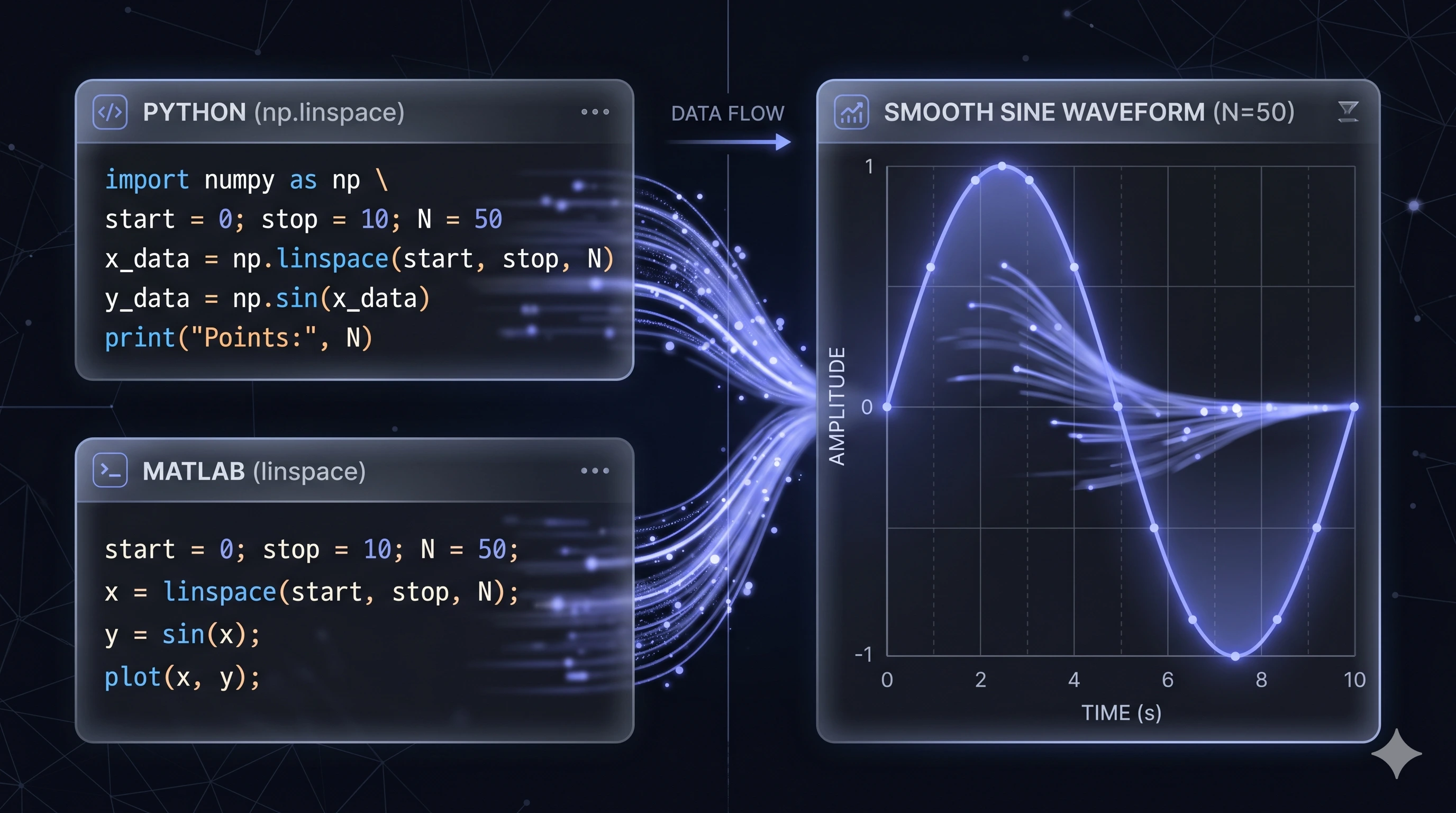
The MATLAB colon operator (:) defines ranges using explicit step sizes, giving precise control over increments. In contrast, linspace specifies the total number of elements and automatically calculates uniform spacing, ensuring evenly distributed values and consistent precision across the entire interval.
| Feature | Colon Operator (:) | linspace |
|---|---|---|
| Control | Step size | Number of elements |
| Default Behavior | Manual definition | Defaults to 100 points |
| Precision | Depends on step | Guaranteed even spacing |
y = linspace(1, 2, 5)output:
1.0000 1.2500 1.5000 1.7500 2.0000This is functionally equivalent to NumPy’s linspace—enabling cross-platform parity across engineering teams.
Default MATLAB behavior → 100 evenly spaced values
Custom resolution → explicitly define N
Ideal for:
Signal processing
Control systems
Engineering simulations
At Universal Equations, linspace is not just a utility—it’s a foundational building block in high-performance systems.
Uniform Sampling for Simulations
Physics simulations
Financial modeling
Monte Carlo experiments
Ensures:
Predictable distribution
Reproducible test environments
Plotting & Forecast Timeline Resolution
Time-series ML forecasts
Retail demand modeling
IoT signal analysis
Linspace allows precise slicing of:
Time intervals
Feature ranges
Probability distributions
Example:
Generating a 365-point timeline for daily predictions across a year.
Pipeline Standardization Across Teams
In distributed architectures:
Python teams → NumPy
Engineering teams → MATLAB
Data teams → notebooks / Spark
Linspace ensures common mathematical consistency across tools, eliminating ambiguity in data generation logic.
Enterprise teams often manage licensing through centralized provisioning systems for scalability and compliance.
Linspace may seem simple—but in enterprise systems, small mathematical guarantees drive massive operational reliability.
At Universal Equations, we treat every component—down to array generation—as part of a larger system of truth:
Architecturally sound
Mathematically precise
Human-centered in execution
Because when your data is correct by design, your systems become invisible, scalable, and trustworthy.